





TL;DR
- Open the AWS WAF console → Create web ACL
- Pick the resources (CloudFront, ALB, API Gateway, etc.) you want to protect
- Choose “Managed rule groups”
- Toggle “Cloudbric Corp. managed rule groups” → hit Add to web ACL → Save
Your web application now inherits Cloudbric’s battle-tested security logic in minutes—no code, no downtime.
Why Add Cloudbric on Top of AWS WAF?
AWS WAF is a great foundation, but the real heavy lifting happens in the rules you deploy. Cloudbric condenses threat-intel and SOC expertise into curated rule groups, so you can:
- Ship faster – pre-tuned policies deploy in < 5 minutes
- Stay ahead – daily rule updates track emerging CVEs & attack trends
- Cut false positives – machine-learning-aided signatures slash noise
- Pay as you grow – subscribe per rule group, per web ACL—no lock-in
Pre-requisites
AWS account with WAF enabled – You’ll need appropriate IAM permissions (e.g., wafv2:*, waf:*).
Target resource – CloudFront distribution, ALB, API Gateway stage, App Runner service, etc.
Cloudbric Managed Rules subscription – If you’ve never subscribed before, AWS will prompt you mid-wizard; no need to leave the console.
Step-by-Step Walk-through (New AWS WAF Console)
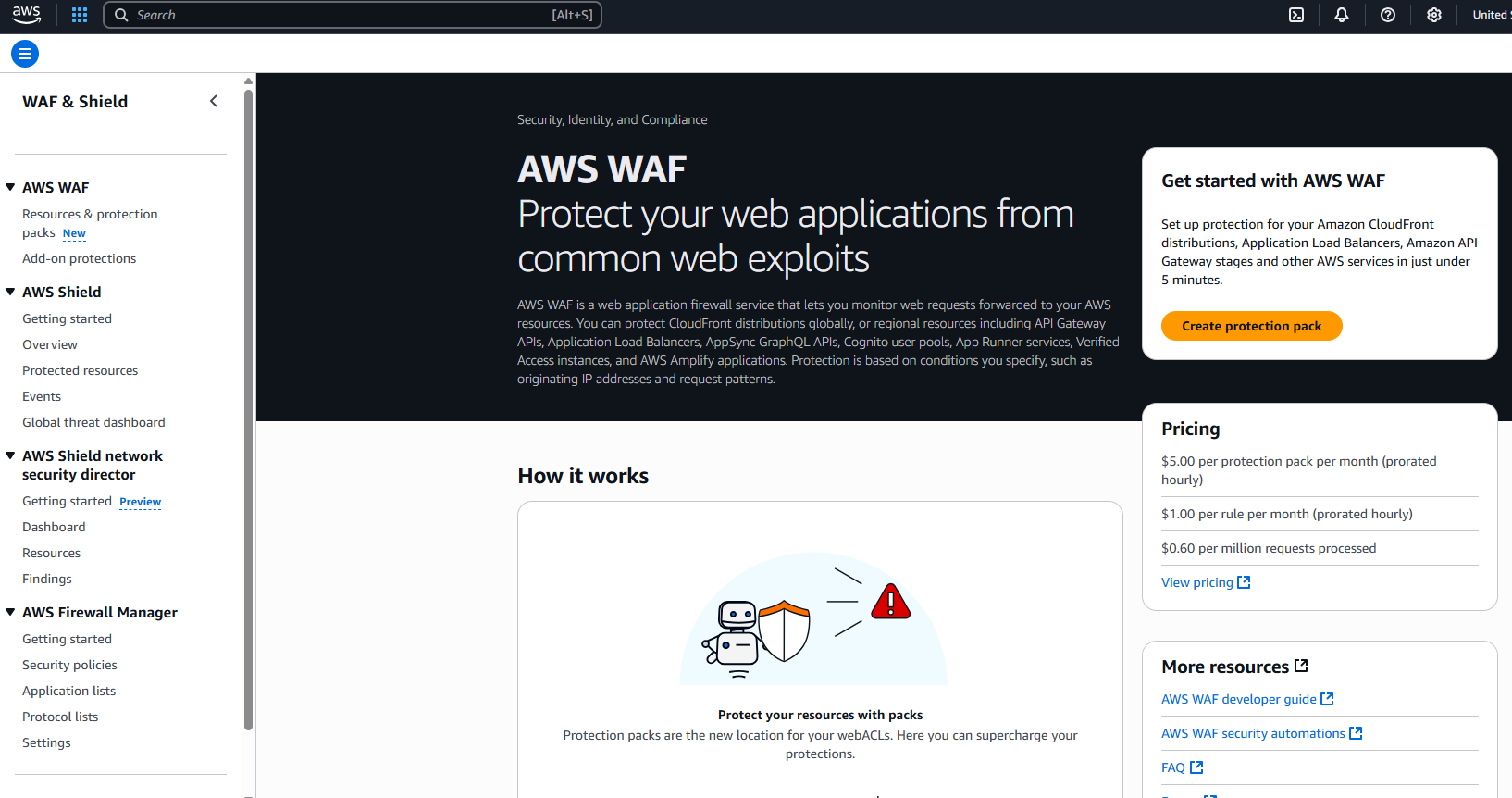
Step 1 : From the WAF & Shield left navigation, click AWS WAF. On the landing page, hit Create protection pack (top-right).
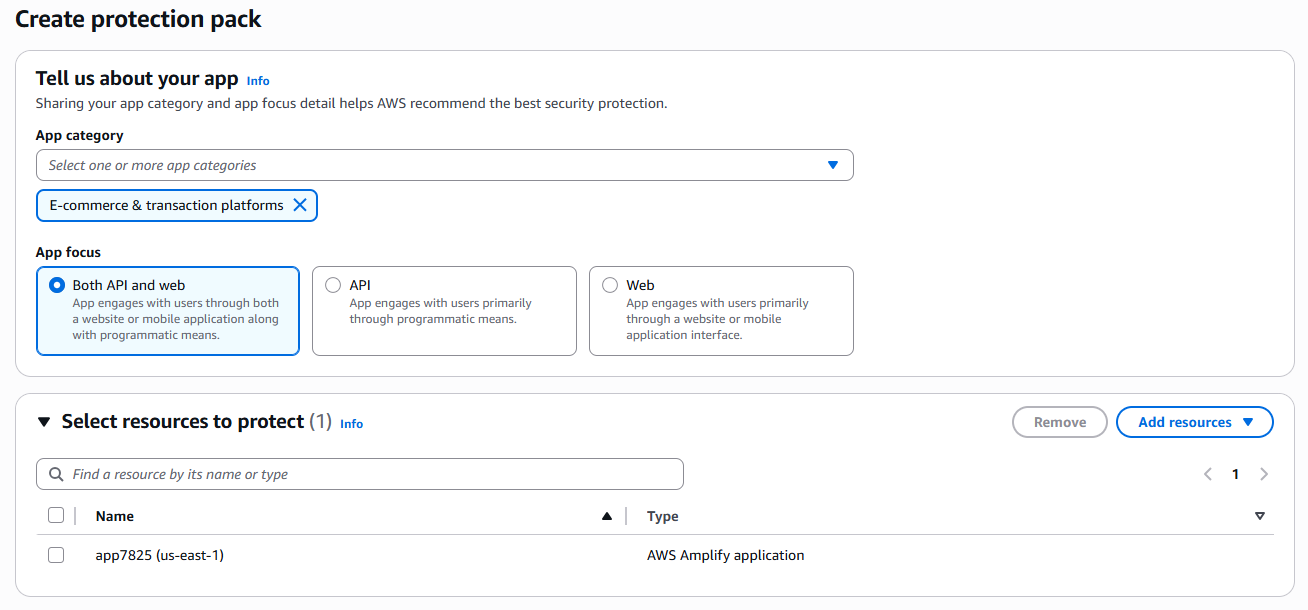
Step 2 : The first panel—Tell us about your app—helps AWS recommend sensible defaults.
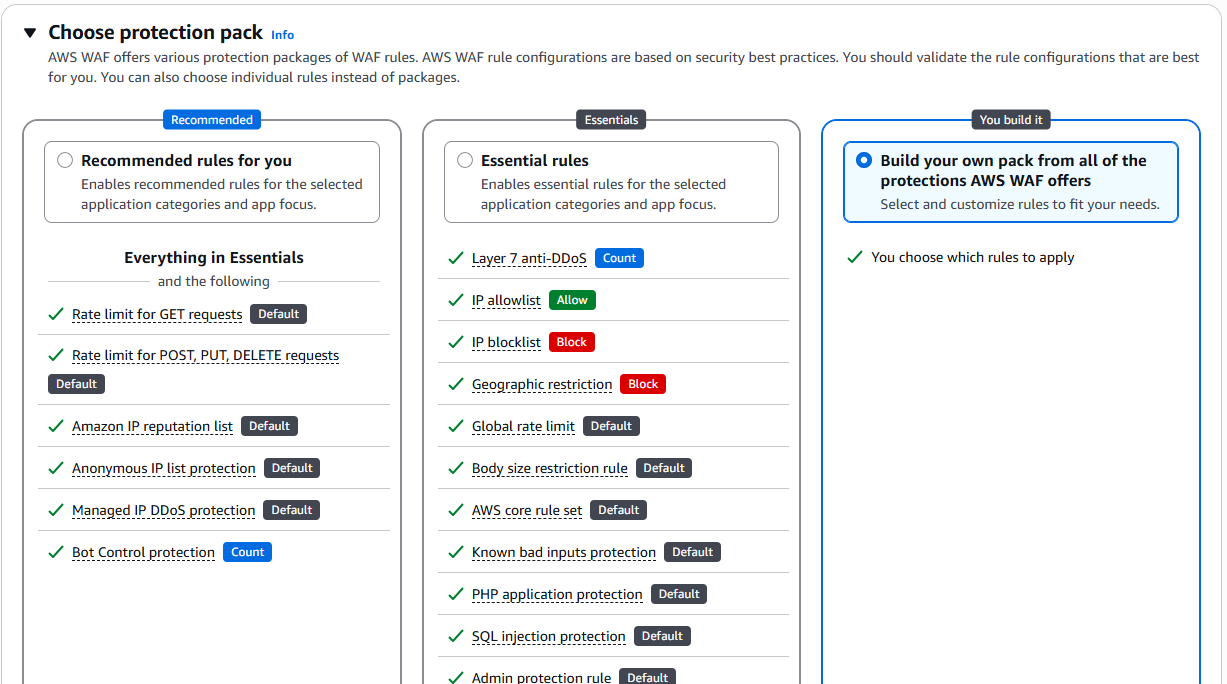
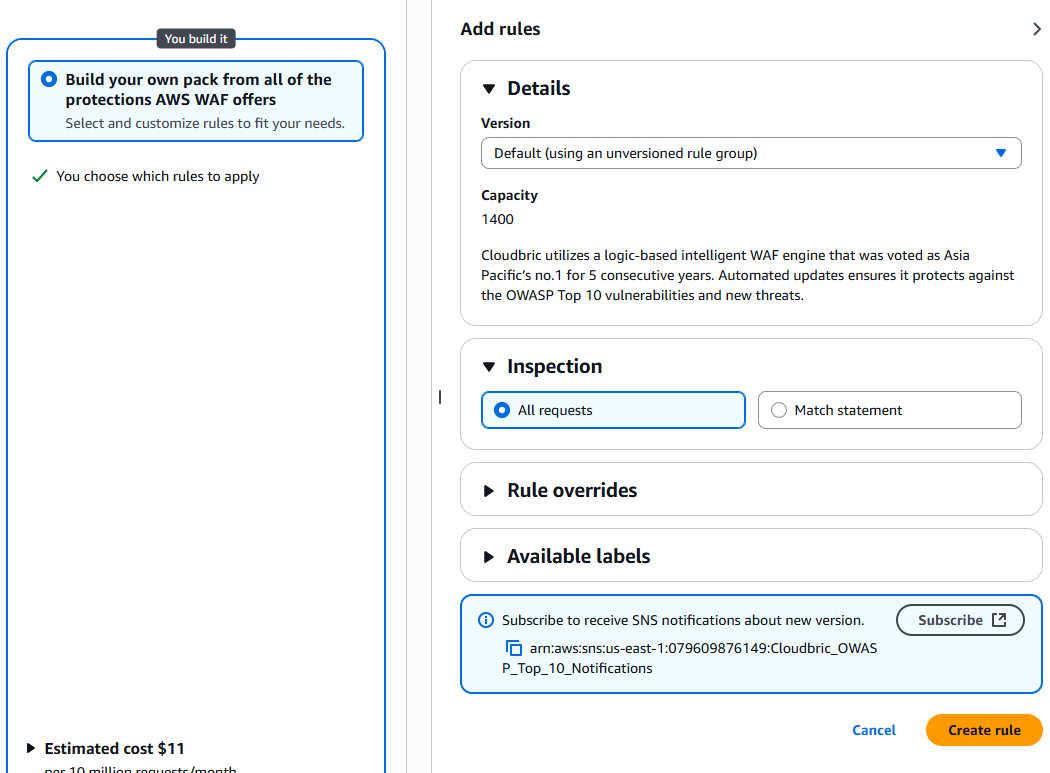
Step 3 : You’ll see three tabs—Recommended, Essentials, and You build it. Select You build it. This opens the Add rules sidebar third-party managed rules (that’s us!).
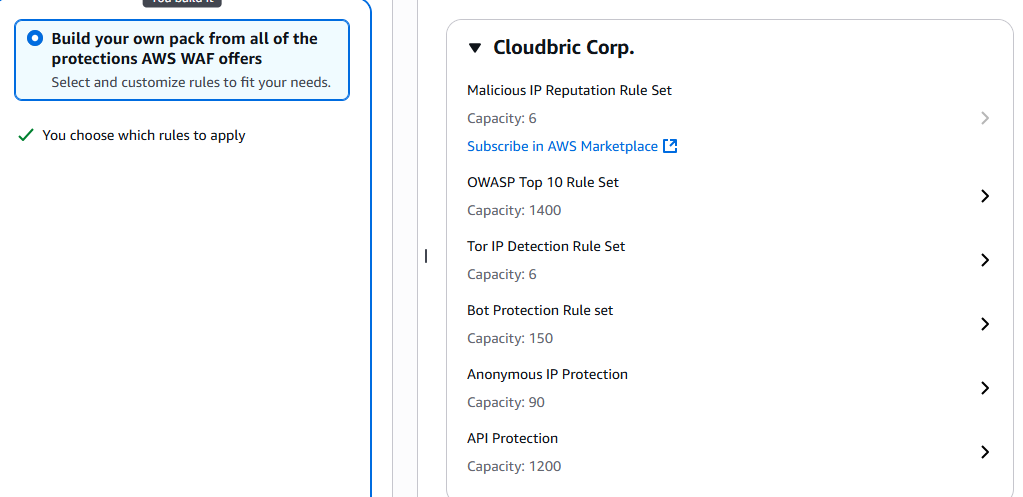
Step 4(Important!) :
- Scroll to Cloudbric Corp. in the provider list.
- Click the rule set you need—e.g., OWASP Top 10 Rule Set.
- In the Details pane:
- Version: Leave as Default unless you need a pinned version.
- Inspection: Keep All requests for full coverage.
- If you’re not yet subscribed, click Subscribe in AWS Marketplace, review pricing, then Accept terms.
- Back in the console, hit Create rule. You’ll see a green “Saved” badge and the WCU (e.g., 1 400 WCU) next to the rule.
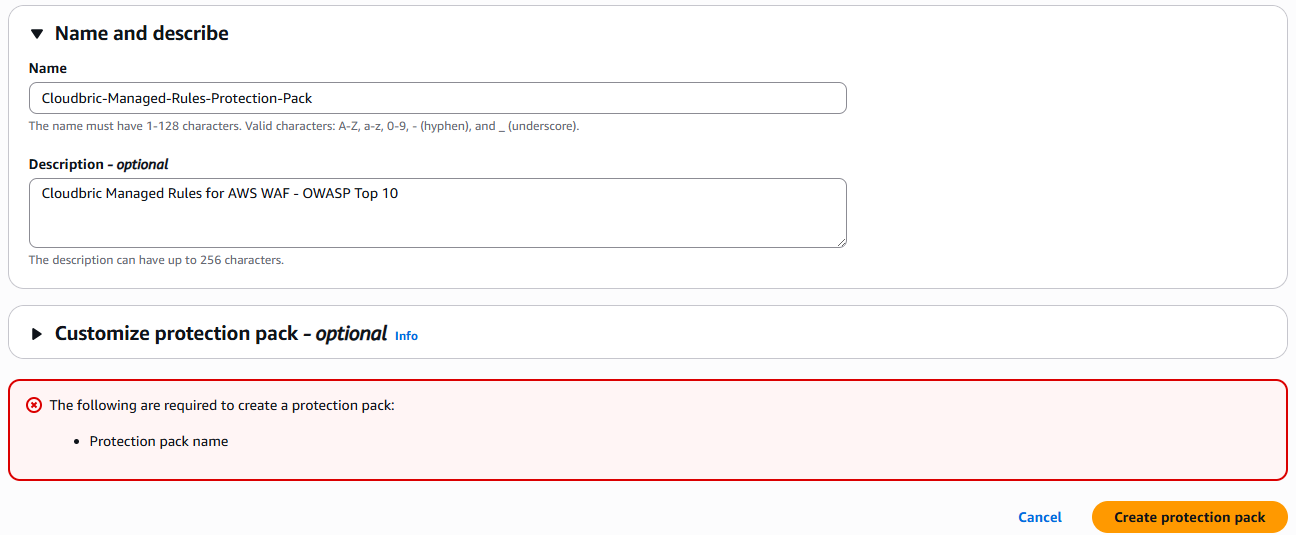
Step 5 : Name and Describe Your Protection Pack. Click Create protection pack.
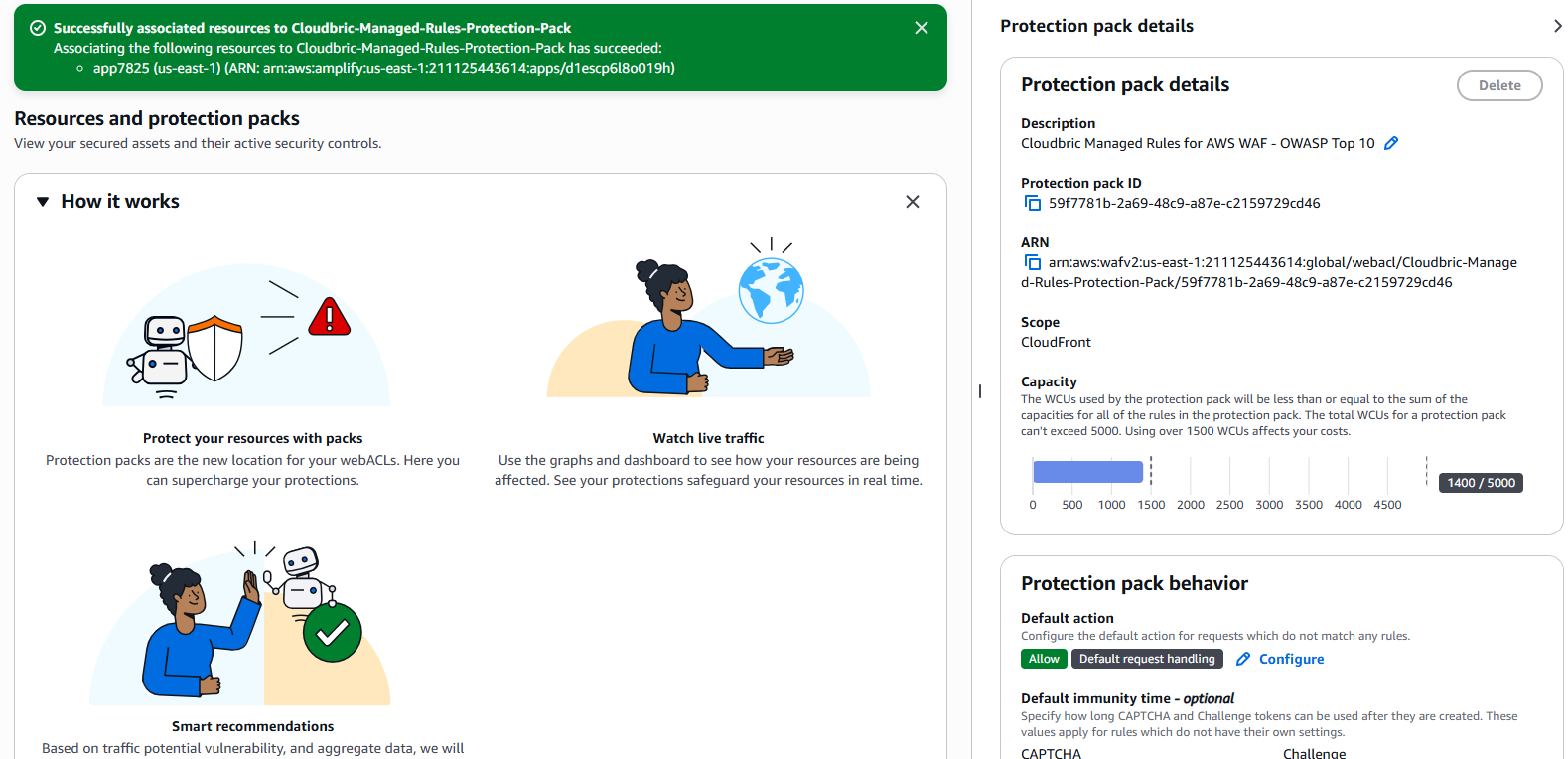
Step 6 : A success banner confirms your resources are now associated with the new Protection Pack.
Step-by-Step Walk-through (Old AWS WAF Console)
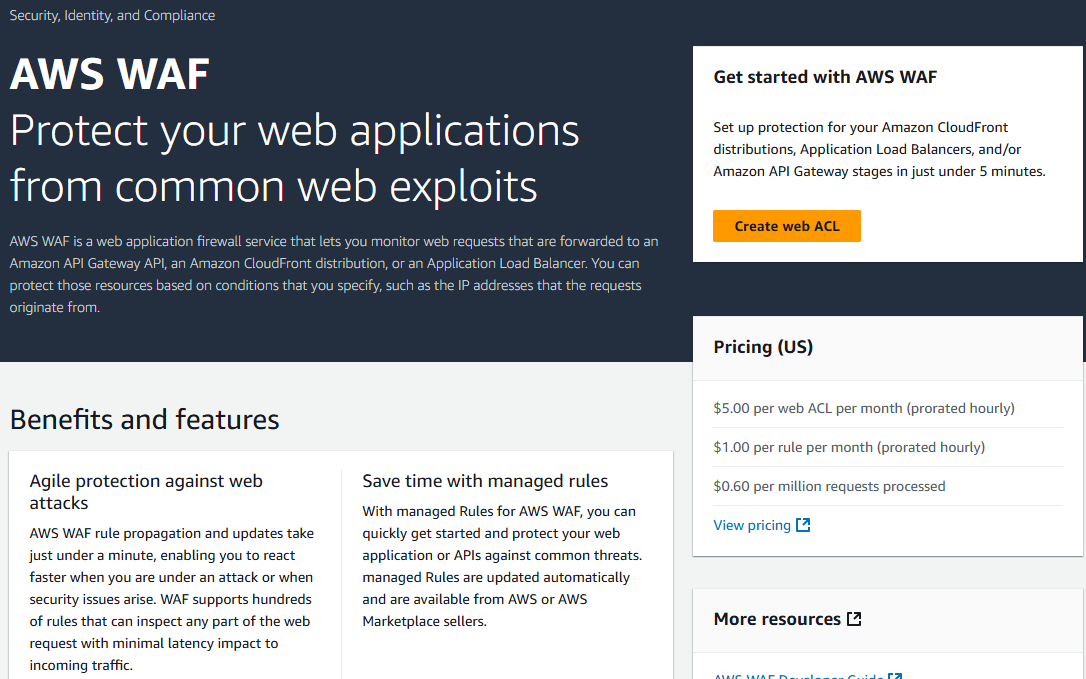
Step 1: AWS WAF Console → Create web ACL
Step 2: Select resources
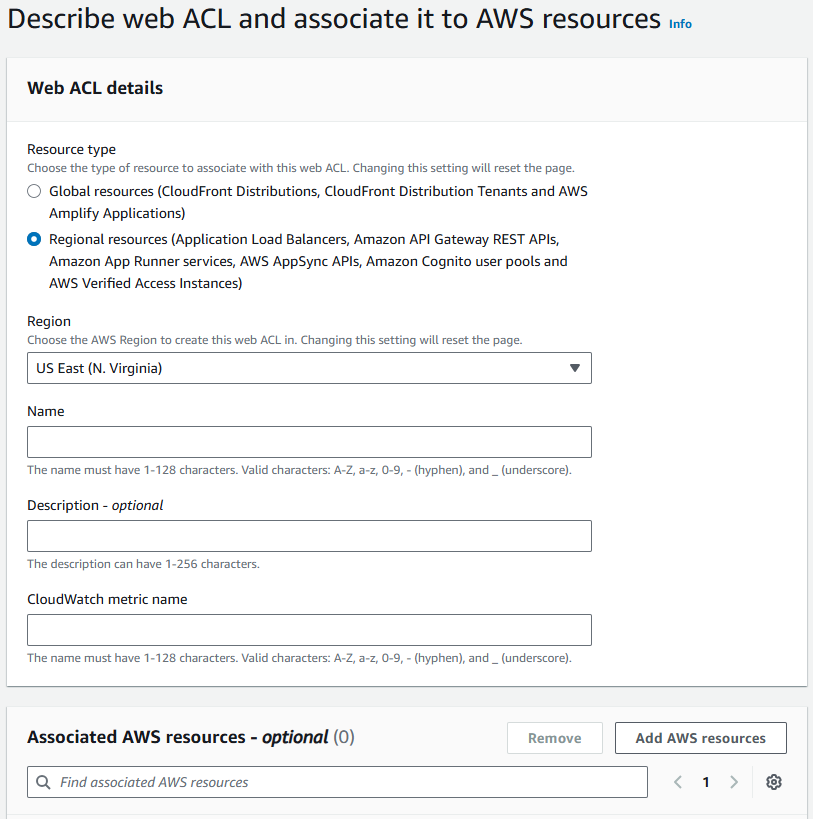
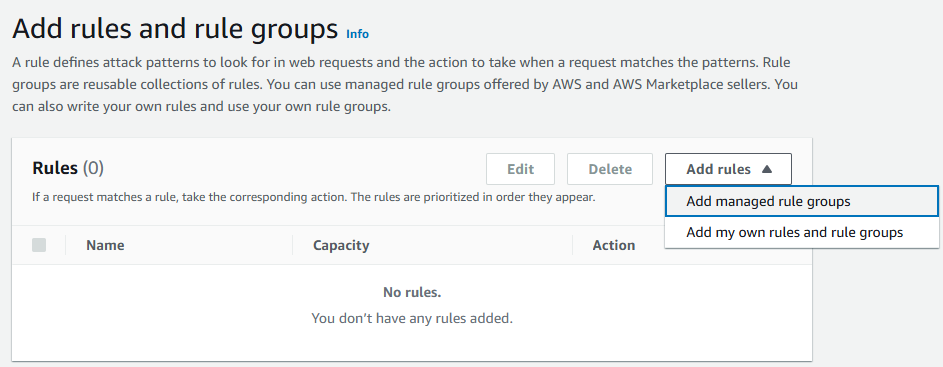
Step 3: Add rules and rule groups → Add managed rule groups
Step 4: Toggle down Cloudbric Corp. managed rule groups
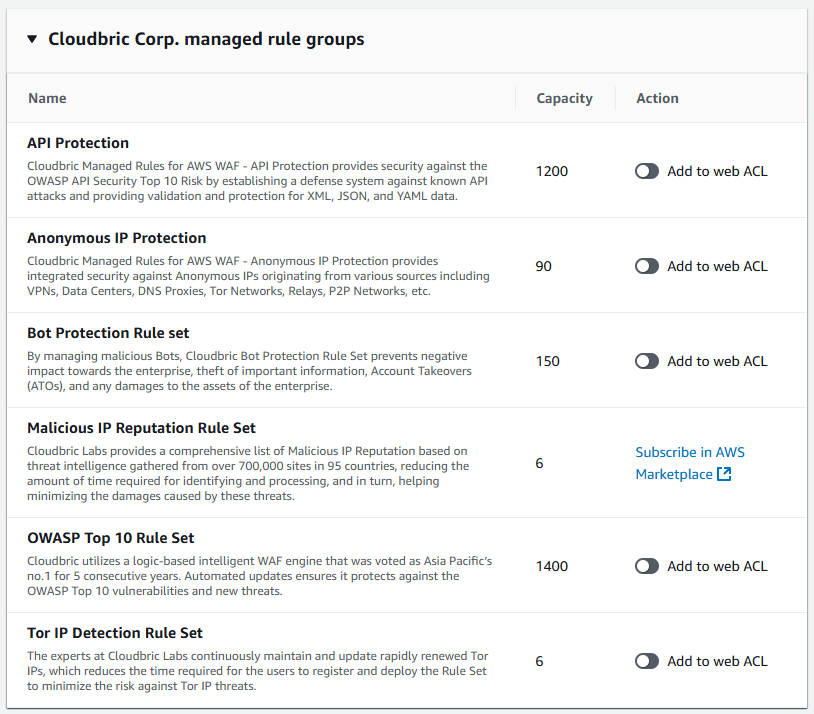
Inside the Cloudbric Rule Arsenal
|
Rule Group |
What It Does for You |
When to Use It |
| API Protection | Guards against the OWASP API Security Top 10 (injection, broken auth, excessive data exposure, etc.) with content-type, schema, and rate-based checks. | Any public or partner-facing REST/GraphQL API—especially fintech, SaaS, mobile back-ends. |
| Anonymous IP Protection | Detects traffic from VPNs, proxies, DNS-over-HTTPS (DoH), data centres, Tor exits, and other obfuscation layers. | Stop fraud rings, price-scrapers, & location-based abuse without locking out legitimate users. |
| Bot Protection | Behaviour & signature-based filters block credential-stuffing, carding, inventory hoarding, SEO spam, and headless browsers. | eCommerce checkouts, ticketing, gaming log-ins—anywhere bot traffic hurts conversions. |
| Malicious IP Reputation | Real-time feed of 700 k+ bad IPs across 95 countries; auto-blocks IPs linked to malware, spam, DDoS, APT C2 servers. | Quick win for SMEs—instantly lowers attack surface with near-zero WCU cost (capacity 6). |
| OWASP Top 10 | Signature & anomaly rules covering SQLi, XSS, XXE, path traversal, insecure deserialisation, etc. | The “default-deny” web-app blanket—activate on every new site before go-live. |
| Tor IP Detection | Flags & blocks Tor exit nodes to cut off high-risk, high-anonymity traffic vectors. | Banking, gaming, content-licensing, or any service where identity matters. |
Stack ‘em up: Mix multiple rule groups inside one Web ACL—the AWS console shows combined WCUs so you stay under 1,500 before extra charges.
Pricing Snapshot
|
Cloudbric Rule Group |
Typical WCU |
Monthly List Price* |
| API Protection |
1,200 |
Pay-as-you-go via AWS Marketplace |
| Anonymous IP Protection |
90 |
“ |
| Bot Protection |
150 |
“ |
| Malicious IP Reputation |
6 |
“ |
| OWASP Top 10 |
1,400 |
“ |
| Tor IP Detection |
6 |
“ |
One-Click Subscription
- In the Cloudbric rule-group list, click “Subscribe in AWS Marketplace” (only needed once per AWS account).
- Accept the terms → Continue to Configure → choose a version (latest is recommended).
- Back in the AWS WAF Console, toggle Add to Web ACL for each rule group you want.
- Review → Create Web ACL. Deployment takes 60–90 seconds.
Ready to Lock Down Your Edge?
Cloudbric brings enterprise-grade protection to AWS WAF without the enterprise headache:
- <5 min setup—no DevOps backlog
- Global Threat Intel—updated daily
Subscribe on AWS Marketplace and start blocking attacks before they ever reach your origin.
Learn more about Cloudbric Manged Rules.