⦁ Free trial of Cloudbric VPN Plus Plan ⦁ Available for the period defined by your coupon (duration may vary)
How to Use
⦁ Install Cloudbric VPN on your mobile device ⦁ Complete sign-up with your email ⦁ Follow the guide below and redeem your code according to your OS (Android / iOS)
Benefit
⦁ Free trial of Cloudbric VPN Plus Plan
⦁ Available for the period defined by your coupon (duration may vary)
How to Use
⦁ Install Cloudbric VPN on your mobile device
⦁ Complete sign-up with your email
⦁ Follow the guide below and redeem your code according to your OS (Android / iOS)
Important Notes
※ Please read before proceeding
⦁ Coupon can only be used once per account (Cannot be reused) ⦁ Coupon redemption is available only on mobile devices ⦁ Please complete installation and sign-up before using the coupon ⦁ A valid payment method must be registered in the App Store / Google Play Store before redeeming the coupon ⦁ After the free-trial, the subscription will auto-renew at the regular price ⦁ To avoid charges, cancel subscription before the free offer period ends
Important Notes
※ Please read before proceeding
⦁ Coupon can only be used once per account (Cannot be reused)
⦁ Coupon redemption is available only on mobile devices
⦁ Please complete installation and sign-up before using the coupon
⦁ A valid payment method must be registered in the App Store / Google Play Store before redeeming the coupon
⦁ After the free-trial, the subscription will auto-renew at the regular price
⦁ To avoid charges, cancel subscription before the free offer period ends
How to Redeem a Code
Android
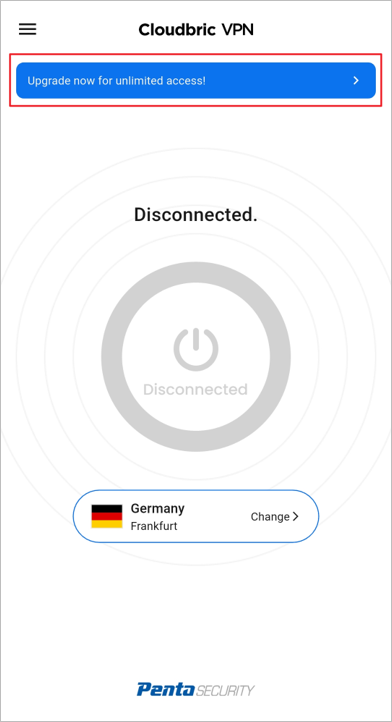
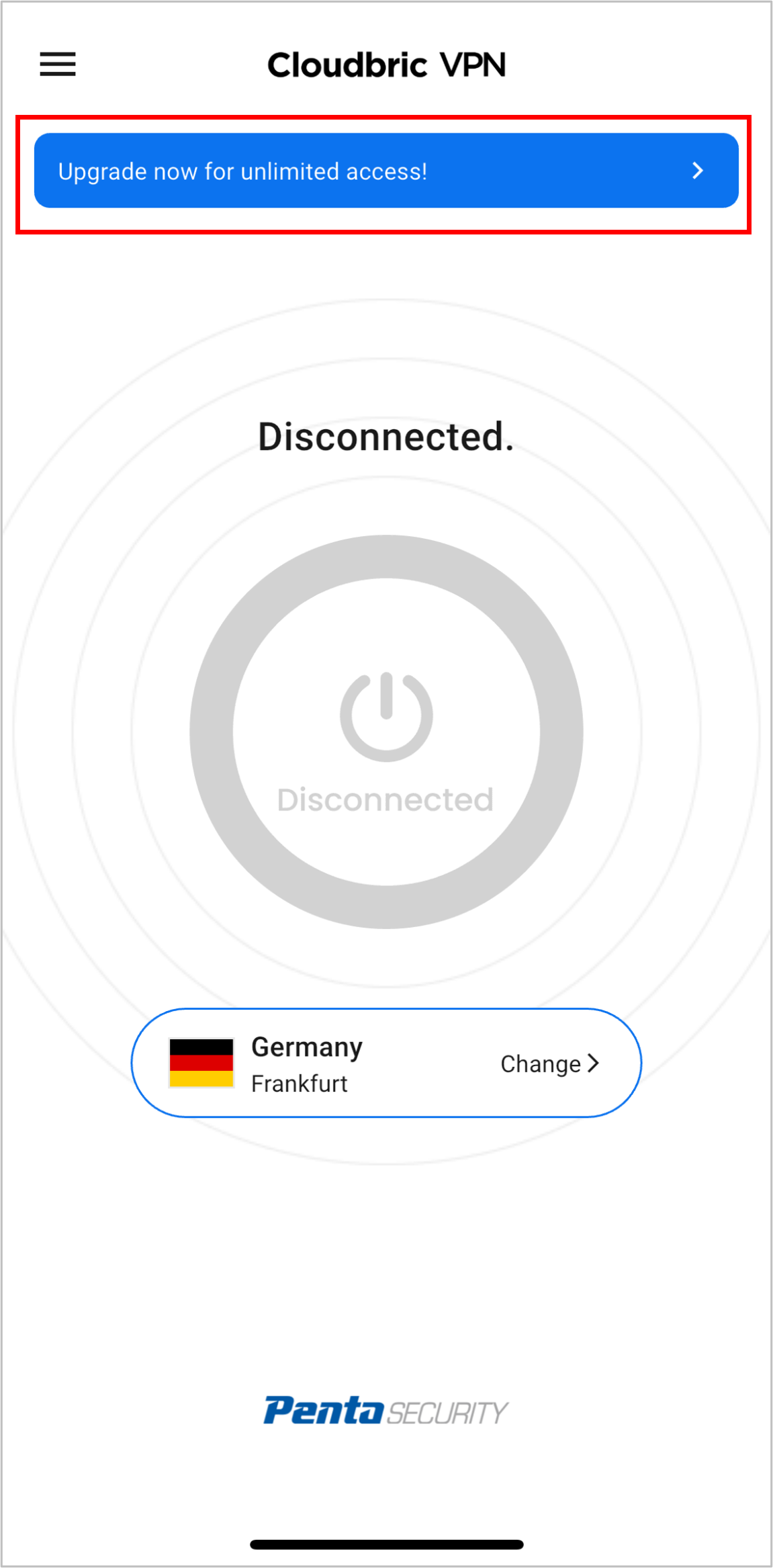
Open the app → Log in
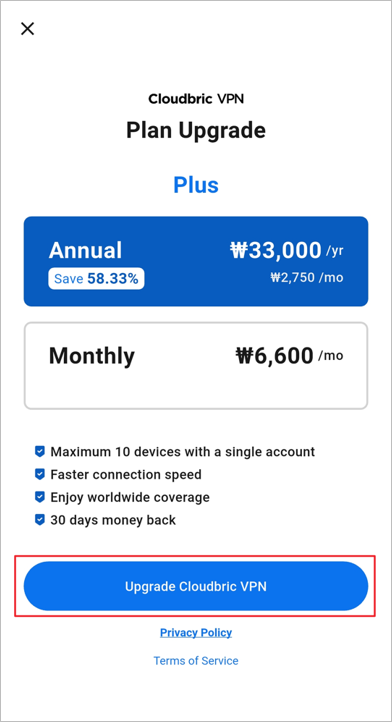
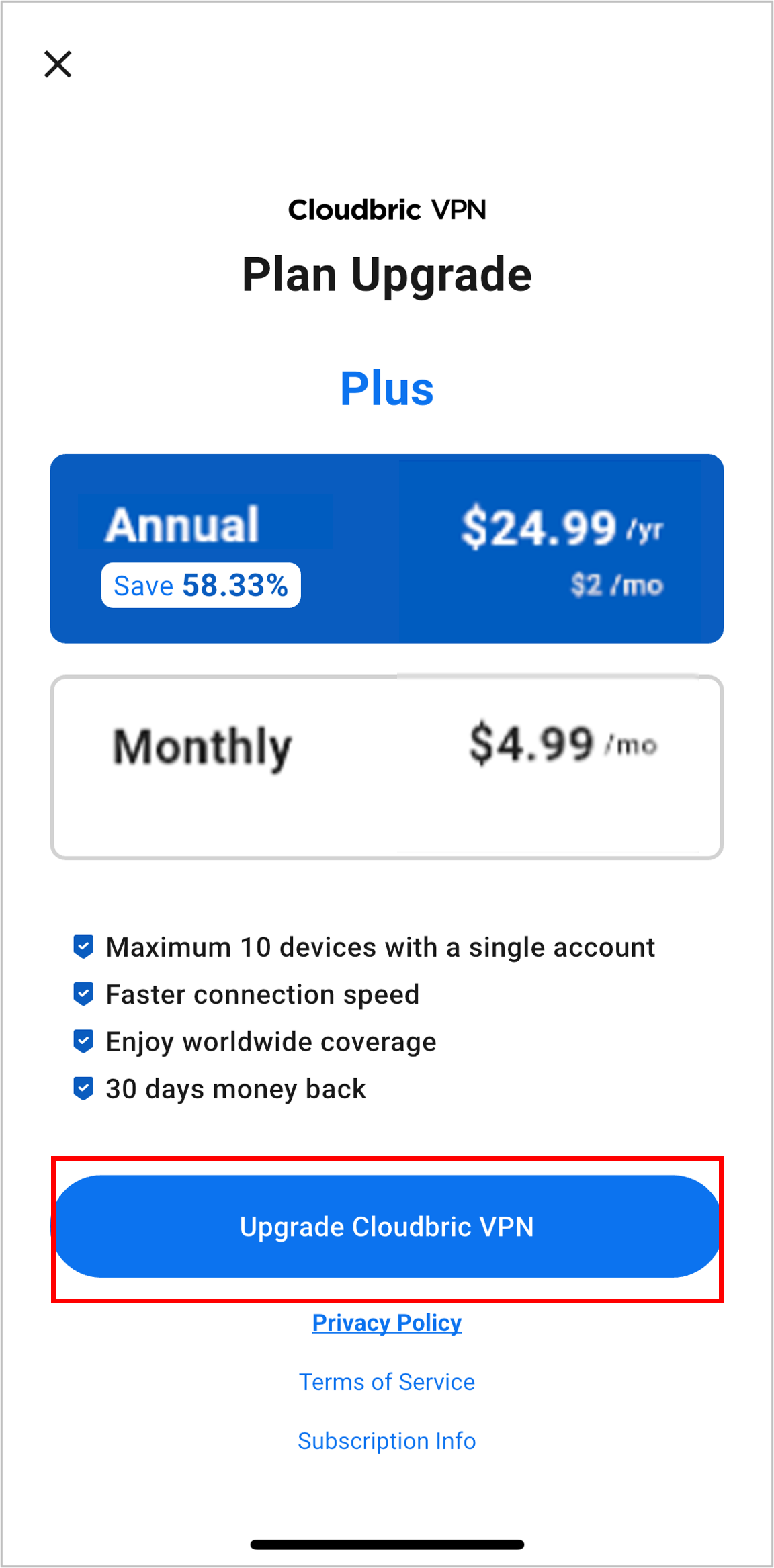
Go to the checkout page
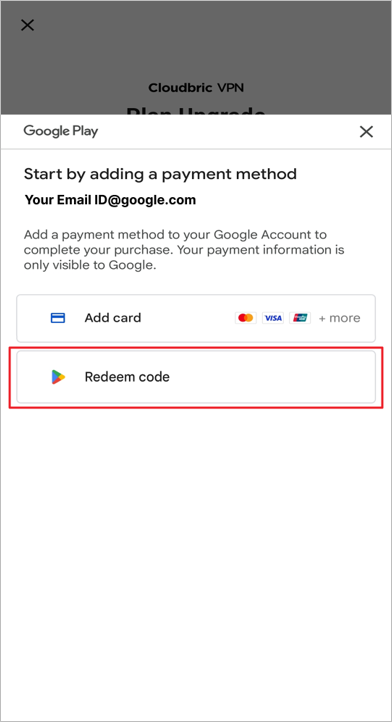
Choose “Redeem Code” as your payment option
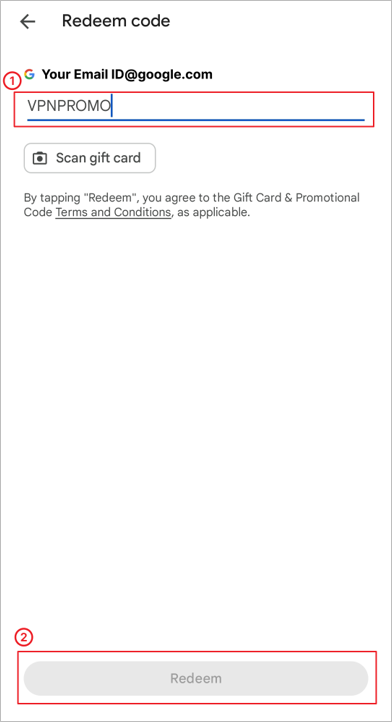
Enter your coupon code to activate the benefit
Refer to the images below to complete the redemption process
iOS
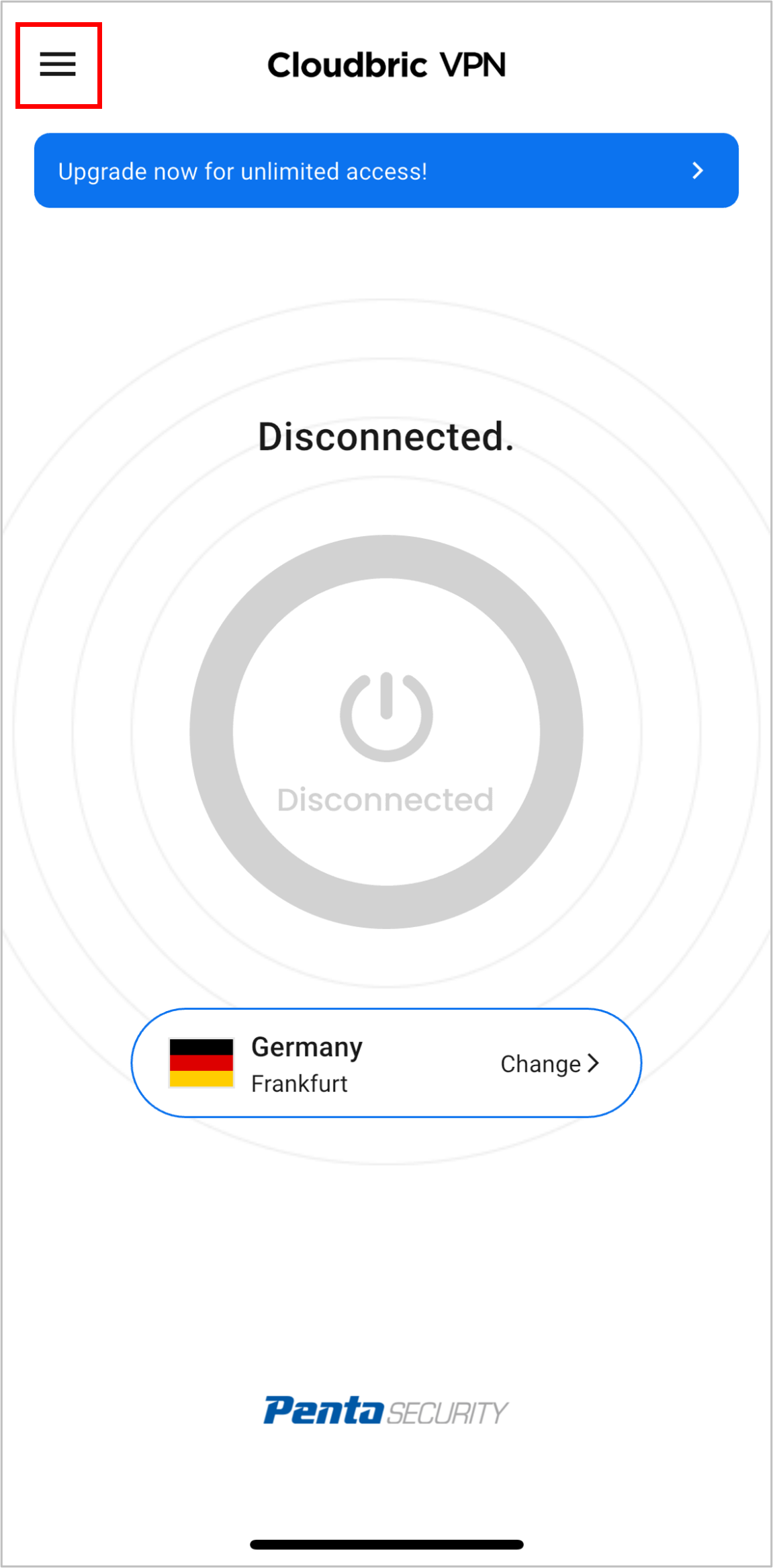
1. Open the app → Log in
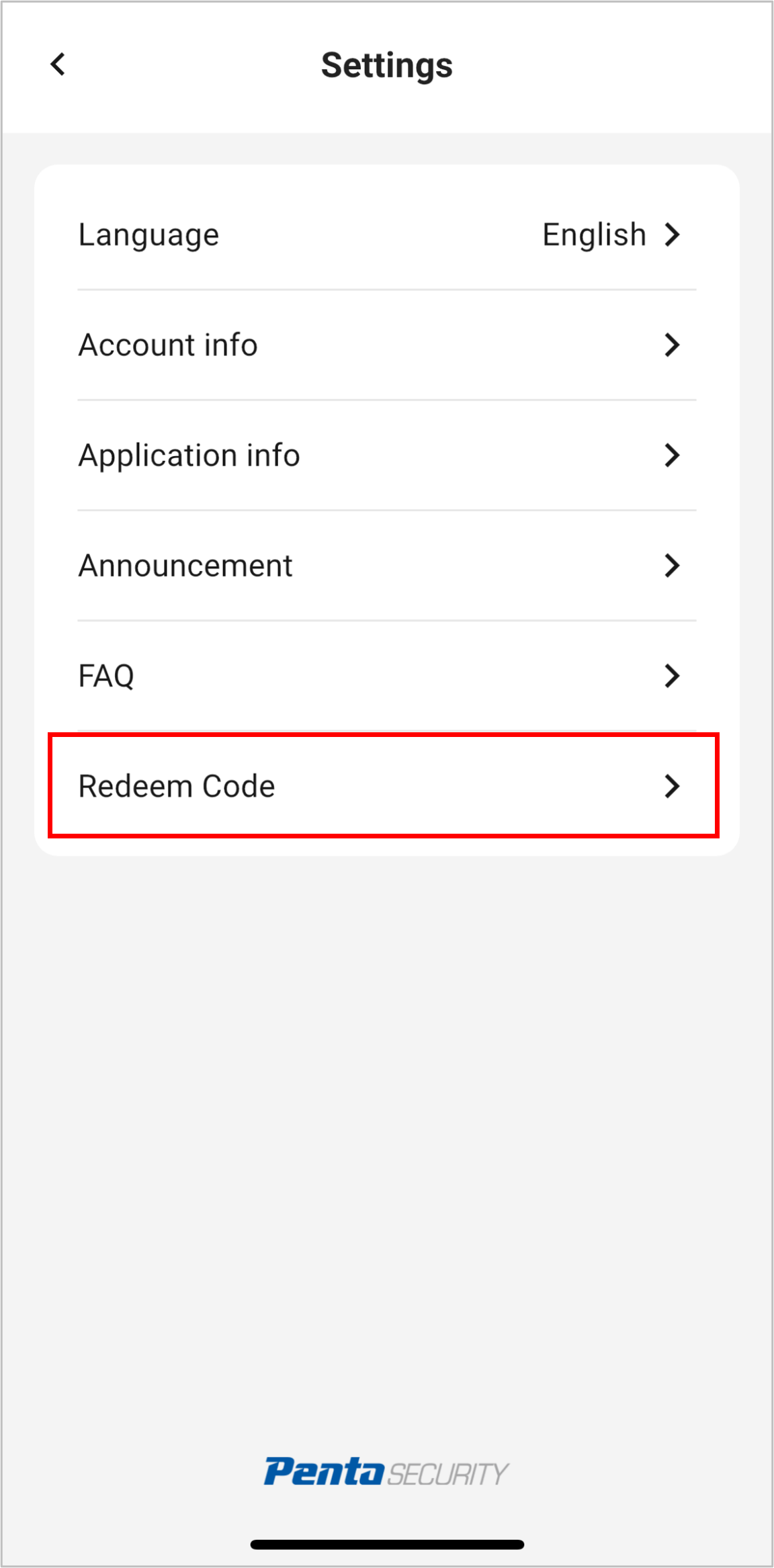
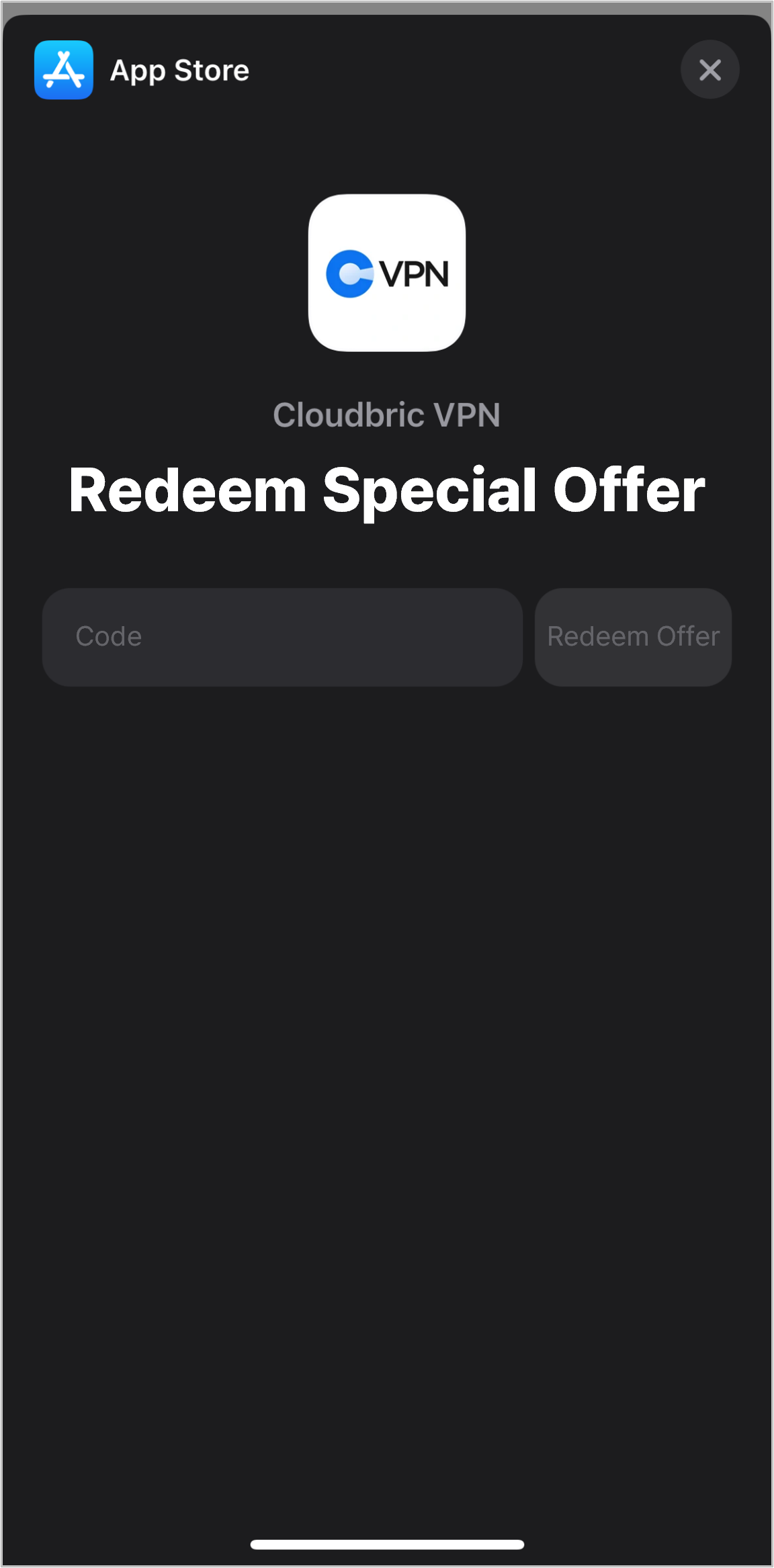
2. Go to Settings > Redeem Coupon and enter your code
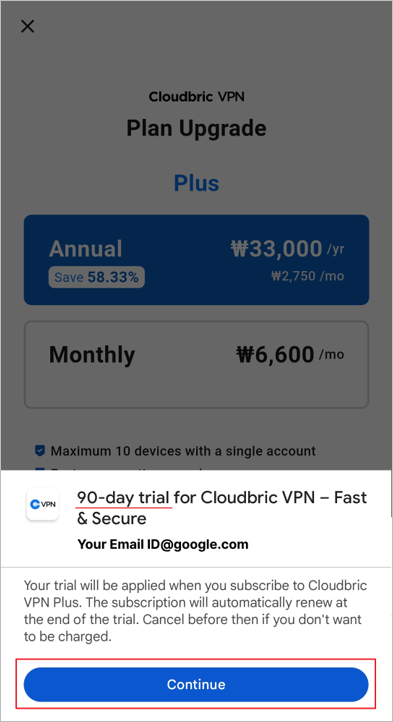
3. Return to the subscription (paywall) page
4. Select Annual Plan (Trial period or next billing date will be displayed)
5. Confirm to complete the purchase and activate your benefit
How to Redeem a Code
Android
1. Open the app → Log in
2. Go to the checkout page
3. Choose “Redeem Code” as your payment option
4. Enter your coupon code to activate the benefit
5. Refer to the images below to complete the redemption process
iOS
1. Open the app → Log in
2. Go to Settings > Redeem Coupon and enter your code
3. Return to the subscription (paywall) page
4. Select Annual Plan (Trial period or next billing date will be displayed)
5. Confirm to complete the purchase and activate your benefit